
Retirement Living takes an unbiased approach to our reviews. We may earn money when you click a partner link. Learn More
Best Medical Alert Systems For Seniors With No Monthly Fee
We evaluated the best no-monthly-fee medical alert systems based on reliability, ease of use, and emergency response features.


Updated:
Our top picks for the best medical alert systems without monthly fees include LogicMark Guardian Alert 911 Plus, Silent Beacon 2.0, and SkyAngel 911FD. We carefully evaluated each system’s reliability, ease of use, and emergency response features, and consulted aging-in-place specialists to ensure our recommendations meet the needs of independent seniors.
While this guide focuses on no-monthly-fee medical alert systems, we also feature affordable monitored options for those who want the added peace of mind that comes with 24/7 professional monitoring. You can explore our comprehensive list of the best medical alert systems for additional options.

LogicMark
0
LogicMark Guardian Alert 911 Plus is designed for seniors who want fast access to emergency help without paying ongoing subscription costs. Instead of routing calls through a monitoring center, the device connects users directly to local 911 dispatchers. The wearable pendant includes two-way voice communication, automatic fall detection, and 4G LTE coverage for use at home or on the go
- No monthly fee required
- Direct connection to 911 dispatchers
- Built-in fall detection and mobile coverage

Silent Beacon 2.0
0
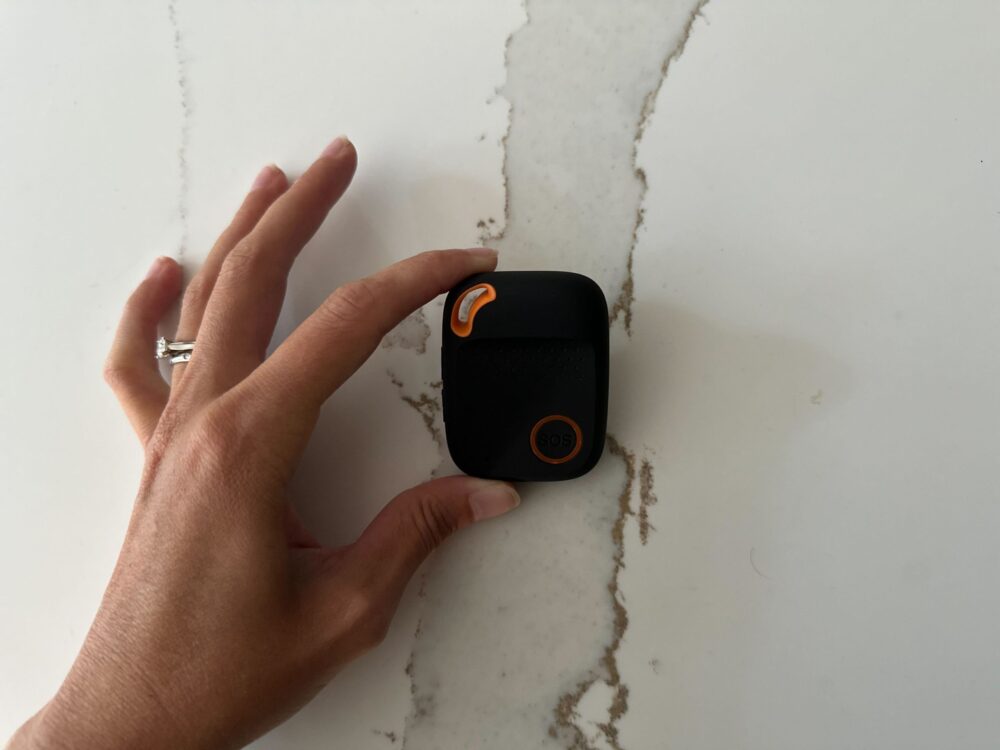
Silent Beacon 2.0 is a wearable panic button that connects to a smartphone through Bluetooth to provide emergency alerts without mandatory monthly fees. With one press, users can contact 911 or their chosen emergency contacts while sharing their GPS location via text, email, and app notifications.
- No mandatory monthly fee
- GPS location sharing and emergency alerts
- Long battery life with wearable design

SkyAngel
0
SkyAngel 911FD is a wearable medical alert pendant that connects directly to 911 through a built-in cellular module, allowing users to speak with emergency operators instantly without a monitoring center or base station. It is designed for mobility, with a simple SOS button, two-way voice communication, and coverage anywhere cellular service is available.
- No monthly monitoring fees
- Direct connection to 911 via cellular network
- Fall detection with waterproof wearable design

4.7
Medical Guardian’s tagline, “Life Without Limits,” shows its mission. The company aims to help customers live independently. Medical Guardian provides five in-home or mobile systems. They also have a medical alert smartwatch and the MGMini wearable alert button.
- Great variety
- Call chain for caregivers
- Sleek, stylish wearable devices

Lively
4.4
Lively (available from Best Buy Health) offers a mobile medical alert system designed for seniors who want 24/7 urgent response monitoring with GPS protection. The Lively Mobile2 is a standalone wearable device that doesn’t require a Jitterbug phone or smartphone. Medical alert plans start at $24.99 per month.
- Great for seniors
- 24/7 U.S.-based Urgent Response monitoring
- Lively Link caregiver app
Bay Alarm Medical is a medical alert system that offers 24/7 monitoring and trained professionals to assist during urgent situations. Bay Alarm, the parent company, has been protecting its clients for almost 80 years.
- Great customer service
- Vial of Life included with purchase
- Free spouse monitoring

Life Alert is one of the most recognized names in the industry, famous for its “Help, I’ve fallen and I can’t get up!” campaign. The company offers dependable in-home and mobile systems. They are designed for quick emergency response. Life Alert has over 40 years of experience. It offers a solid lineup, though it’s more limited than newer competitors. Still, the company prides itself on keeping seniors safe with less reliance on smartphone apps and wearable tech.
- Long-standing reputation
- 24/7 emergency monitoring
- Three-step response system

My SOS Family Emergency Alert
4.4
My SOS Family Emergency Alert is a mobile emergency alert app designed to connect users directly with their personal network of family and friends rather than a professional monitoring center. With a single tap or voice command (via Siri, Alexa, or Google Assistant), the app sends alerts to up to five emergency contacts, including calls, texts, and emails.
- Instant alerts to personal emergency contacts
- GPS location sharing with SOS timer feature
- Works without app download for recipients
How We Chose the Best Medical Alert Systems with No Monthly Fee
We carefully reviewed the best medical alert systems. We examined more than 20 leading options to identify devices that offer dependable protection and expert monitoring services.
We prioritized systems that are easy to set up, responsive in emergencies, and suitable for seniors who prefer self-managed solutions. Our review considered key factors such as:
- Emergency connection type (911 or personal network)
- Device range, battery life, and durability
- Cost transparency and ease of use
- Verified customer and expert feedback
If you’re looking for medical alert systems that don’t require a monthly fee, the best options are LogicMark Guardian Alert 911 Plus, SkyAngel 911FD, and Silent Beacon 2.0.
After extensive research, we also selected top-rated systems that deliver real value with low monthly fees: Medical Guardian, Bay Alarm Medical, Life Alert, and Lively. These are the best medical alert systems for seniors with fall detection and additional monitoring services.
Compare Medical Alert System Monthly Fees Side-by-Side
Choosing the right medical alert system and pendant depends on you or your loved ones’ needs and budget. The following is a quick reference to help you get started.
| System | Best For | Monthly Fee | Add-ons / Features |
|---|---|---|---|
| LogicMark Guardian Alert 911 Plus | Seniors seeking direct-to-911 connection with no monthly fees | No monthly fee | Two-way voice, fall detection, 4G LTE connectivity |
| Silent Beacon 2.0 | Seniors wanting a wearable emergency button paired with their smartphone | No monthly fee (one-time $79.99) | GPS location, 911 calling, text/email alerts, Bluetooth pairing |
| SkyAngel 911FD | Seniors preferring a one-time purchase pendant with direct 911 access | No monthly fee (one-time $159.99) | Fall detection, waterproof design, 4G cellular coverage |
| Medical Guardian | Seniors seeking full-service professional monitoring with GPS, fall detection, and caregiver app | Starts at $34.95 | Fall detection, GPS tracking, smartwatch, caregiver alerts |
| Bay Alarm Medical | Seniors who want dependable 24/7 monitoring and flexible home/mobile protection | Starts at $27.95 | Fall detection, GPS tracking, mobile app, caregiver monitoring |
| Life Alert | Seniors preferring a trusted, long-standing monitored brand for home and mobile use | Custom pricing | Fall detection, smoke detection, intrusion alert |
| Lively | Active seniors wanting mobile protection with 24/7 Urgent Response and caregiver link | Starts at $24.99 | Fall detection, GPS tracking, smartphone app integration |
| My SOS Family Emergency Alert | Independent seniors or caregivers wanting an app-based, no-contract emergency network | $3.49 | GPS alerts, SOS timer, photo/video note attachments |
Our Top Picks for Medical Alert Systems with No Monthly Fee
LogicMark Guardian 911 Review
LogicMark Guardian Alert 911 Plus is an emergency call button for seniors, with no monthly fee included. Unlike monitored systems that route calls through a call center, the Guardian Alert 911 Plus dials local 911 dispatchers immediately. This allows users to speak directly with responders in real-time.
The pendant features two-way voice communication with a built-in microphone and speaker. The wearer can talk to emergency personnel without needing a base station or landline phone.
The system’s 4G LTE cellular connection enables it to work both inside and outside the home, providing coverage wherever a mobile signal is available. It also includes automatic fall detection, which triggers an emergency call if the user is unable to press the button.
LogicMark Guardian Alert 911 Plus is also water-resistant and easy to operate for seniors who are not familiar with technology.
Although it doesn’t charge any subscription fees, you will need to pay a one-time equipment fee of $399.
LogicMark Pros and Cons
Pros
- No monthly fee
- Direct connection to 911 dispatchers
- Two-way voice communication
- Fall detection
- 4G LTE-based/mobile use outside the home
Cons
- Upfront cost is higher
- Doesn’t include professional monitoring
Who Is LogicMark Guardian Alert 911 Plus Best For?
LogicMark Guardian Alert 911 Plus is best for independent seniors, caregivers, or anyone seeking a reliable medical alert system with no monthly fee. It’s an affordable, one-time purchase option that provides peace of mind and quick access to help.
Silent Beacon 2.0 Review
Silent Beacon 2.0 is a panic-button system that pairs with your cell phone to provide emergency alerts, with no mandatory monthly fees.
With a single press of the wearable button, the device can call 911 or any chosen phone number. It also sends simultaneous SMS, email, and app alerts to up to 7 emergency contacts.
Silent Beacon features a built-in speaker and microphone, allowing you to speak directly through it even when your phone is out of reach. Its medical alert device doesn’t require a traditional base unit. Instead, it pairs via Bluetooth with a compatible smartphone and offers a long-lasting battery life of 40–42 days.
Silent Beacon has no monthly subscription fee; however, a one-time equipment fee of $79.99 is required.
Silent Beacon Pros and Cons
Pros
- 911 emergency services
- GPS location
- Long standby battery life
- Wearable design (clip, wristband, lanyard)
Cons
- Expensive one-time equipment fee
- Relies on Bluetooth connection
- Advanced features (multiple contacts, history, monitoring) require a subscription fee.
Who Is Silent Beacon 2.0 Best For?
Silent Beacon 2.0 is best for everyday scenarios, whether at home, while walking or driving, or in a workplace setting. It offers a cost-effective alternative for users who want an emergency alert tool without long-term monitoring commitments.
SkyAngel 911FD Review
SkyAngel 911FD, by Assistive Technology Services is a medical alert pendant device that provides direct access to emergency help services without monthly monitoring fees. It connects directly to 911 through a built-in cellular module, so the user can speak with operators immediately without needing a base station.
This lightweight, wearable pendant features a single large SOS button and two-way voice communication. This allows users to call for help at any time, anywhere with cellular coverage.
The pendant includes automatic fall detection, which can trigger an emergency call even if the user is unable to press the button. It is also waterproof, so you or your loved one can wear it in the shower, one of the most common places for falls.
SkyAngel 911FD charges a one-time equipment fee of $159.99, but has no monthly service fees.
SkyAngel Pros and Cons
Pros
- No monthly fees
- Emergency button activation
- Fall detection
- 4G cellular coverage
- Waterproof design
Cons
- Expensive upfront device cost
- Relies on cellular signal quality
- No professional monitoring center
Who Is SkyAngel 911FD Best For?
SkyAngel 911FD caters to seniors and individuals who prefer a one-time purchase model and want mobility and independence without recurring subscription costs. It’s a strong option for those who value true mobility rather than being tied to a home base unit.
Top Medical Alert Systems with Affordable Monthly Fees
Medical Guardian Review
Great variety
|
Medical Guardian is a medical alert system for seniors that provides 24/7 professional monitoring, fall detection, and GPS tracking to help ensure safety at home and on the go. The company offers a wide range of devices, including in-home base units, mobile pendants, and smartwatches.
Each device connects to Medical Guardian’s U.S.-based 24/7 monitoring centers, where trained operators assess emergencies and dispatch help. The systems support two-way voice communication, allowing users to speak directly with an agent through the pendant or base unit.
Medical Guardian’s mobile devices, including the MGMini and MGMove smartwatch, utilize both cellular and Wi-Fi connectivity for nationwide, reliable coverage. These devices also connect to the MyGuardian portal and app, which feature optional automatic fall detection, caregiver alerts, and location tracking.
Medical Guardian offers a variety of plans starting at around $34.95 per month, depending on the system and features you choose. Home-based systems, like the MGHome Landline, use a landline connection and are the most affordable. Mobile and GPS-enabled medical alert devices start between $39.95 and $49.95 per month.
Medical Guardian Pros and Cons
Pros
- Wide device range
- 24/7 U.S.-based monitoring centers
- No long-term contract required
Cons
- A small monthly monitoring fee
- Medicare doesn’t cover the cost
Who Is Medical Guardian Best For?
Medical Guardian is an excellent choice for older adults who value professional, 24/7 monitoring and want a full-featured system (home & mobile) with GPS, fall detection, and caregiver apps.
Although Medical Guardian requires a monthly fee, its advanced features make it well worth the cost for seniors who prioritize safety and independence.
To learn more, read our full Medical Guardian review.
Lively Review
Great for tech-savvy seniors
|
Lively offers a medical alert service designed for seniors who want protection both at home and on the go. It uses a cellular connection and features a one-touch help button that connects you with a 24/7 Urgent Response team.
The medical alert system offers two-way voice communication. This allows you or your loved one to have a conversation with the agent in real-time and dispatch help if needed.
Lively also features GPS tracking and optional fall detection. You can also use the Lively Link app on smartphones, allowing family members and caregivers to monitor the user’s location, battery level, and emergency alerts in real time.
Lively medical alert plans start at $24.99 per month, depending on what services and add-ons you choose.
Lively Pros and Cons
Pros
- 24/7 professional monitoring
- Two-way voice communication
- GPS tracking
- Optional automatic fall detection
- No long-term contract required
- Compatible with smartphones
Cons
- Requires purchasing a dedicated device for $79.99 (one-time)
- Cellular coverage may be limited in very remote areas
Who Is Lively Best For?
Lively is ideal for active seniors who want a professional monitoring service. It’s also best if you need a mobile medical alert system and an integrated caregiver app.
Read our full Lively review.
Bay Alarm Medical Review
Great customer service
|
Bay Alarm Medical offers a suite of medical alert systems tailored for independent living at home and on the go.
The SOS Home system connects through a landline or cellular network for in-home use. The SOS All-In-One 2 and SOS Micro models combine at-home and on-the-go protection with GPS and 4G LTE connectivity.
All devices are backed by CSAA Five Diamond–certified monitoring centers in Utah and Idaho, which serve as mutual backups to maintain continuous coverage. When the user presses the help button or fall detection is triggered, the operators immediately provide emergency response.
The Bay Alarm Medical app also allows caregivers to monitor their loved ones’ SOS mobile devices, including GPS location, cellular signal strength, battery level, and a seven-day location history.
Bay Alarm Medical pricing starts at $27.95 per month for the SOS Home (landline) system, with fall detection as an add-on for $10 more a month. Mobile systems with GPS, such as the SOS All-in-One 2, start at $34.95 per month.
Bay Alarm Medical Pros and Cons
Pros
- Affordable monthly plans
- No long-term contracts required
- 24/7 U.S.-based monitoring
- Offers both in-home and mobile GPS devices
Cons
- Fall detection and other advanced features cost extra
Who Is Bay Alarm Medical Best For?
The Bay Alarm Medical alert system is best for seniors who value both safety and independence at home or while traveling. It offers dependable monitoring, flexible equipment options, and strong customer service.
To learn more, read our full Bay Alarm Medical review.
Life Alert Review
Long-standing reputation
|
The Life Alert medical alert system offers 24/7 emergency monitoring for seniors and individuals with medical conditions.
Life Alert’s systems are designed for both in-home and on-the-go protection. The in-home system provides up to 1,000 feet of coverage between the base unit and the pendant or wristband. The mobile GPS unit offers emergency assistance anywhere with cellular service.
You can also buy additional protection features, such as monitored smoke detectors for fire emergencies and audio-monitored intrusion alerts for burglary protection.
Each device connects directly to Life Alert’s monitoring center through a cellular network. This allows dispatchers to assess emergencies and stay on the line until help arrives.
Life Alert offers customized pricing plans for its monitoring services. You can also purchase add-ons, such as fall detection and smartwatch options.
Life Alert also offers an additional free month of monitoring when you purchase their annual plan in advance.
Life Alert Pros and Cons
Pros
- 24/7 U.S.-based emergency monitoring
- Wearable and waterproof help buttons
- Long battery life in certain devices
Cons
- Monthly service fees
- Startup costs
Who Is Life Alert Best For?
Life Alert is well-suited for seniors who want a trusted, long-standing brand offering easy setup and reliable protection both at home and on the go.
To learn more, read our Life Alert review.
My SOS Family Emergency Alert Review
My SOS Family Emergency Alert is one of the best medical alert mobile apps built around your personal contact network. Although it’s not a traditional medical alert system, you can use it to notify your loved ones during emergencies.
With a single tap (or via voice commands on Siri/Alexa/Google Assistant), the app sends an alert to up to 5 emergency contacts. It simultaneously sends calls, text messages, and emails to your selected contacts.
Each alert includes a link to your GPS location, allowing them to see your current location and respond quickly. You can also attach a short note, photo, or video to give context during the emergency.
My SOS Family Emergency Alert also supports an SOS Timer. This allows you to set a countdown before doing something potentially risky, like taking a shower or walking alone. If you don’t check in before the timer ends, the app automatically sends an alert to your network.
You need to carry a mobile phone, but it can still work without Wi-Fi or data. Your contacts don’t even need to install the app to receive alerts, making it easy for seniors and caregivers to stay connected.
My SOS Family Emergency Alert pricing starts from $3.49 per month. You can sign up for a 14-day trial to test the app out before you buy the subscription.
My SOS Family Emergency Alert Pros and Cons
Pros
- 14-day trial
- No monthly monitoring fee required
- Instant alerts
- GPS location link
- SOS timer feature
- Uses SMS/call fallback when Wi-Fi/data isn’t available
Cons
- Not a professionally monitored medical alert system
- Depends heavily on your network of contacts
- Less suitable for high-risk seniors
- Less convenient than wearable devices
Who Is My SOS Family Emergency Alert Best For?
My SOS Family Emergency Alert is best for independent seniors, caregivers, and anyone seeking a low-cost way to receive emergency response. It’s especially useful for people who have a reliable group of friends or family who can help quickly.
How Does a Medical Alert System with No Monthly Fees Work?
Medical alert systems without fees skip the monitoring center entirely. When you press the help button, the device places a call directly to 911 or your preferred personal contacts that you set up. There’s no operator in between and therefore no ongoing charges.
Most devices run on cellular networks such as AT&T or Verizon, and include GPS, so emergency responders know where to find you. With landline devices, your address is automatically registered to your landline and shared with emergency services when you press the help button. These don’t require GPS. Either landline or mobile, when you invest in a medical alert without fees, you pay the upfront cost for equipment, but forgo the monthly fees and the monitoring service they cover.
Great variety
Medical Guardian
- Call chain for caregivers
- Sleek, stylish wearable devices
Monthly Fees for Monitored vs. Unmonitored Medical Alert Systems
Whether you choose a monitored or unmonitored medical alert system determines the subscription costs and equipment fees. Although both provide safety and peace of mind, they work in very different ways.
The key distinction lies in who responds when help is needed: trained professionals or personal contacts.
A monitored medical alert system connects users to a 24/7 professional monitoring center. When the help button is pressed, trained operators assess the situation and contact emergency responders or family members if needed. These systems often include extra features such as fall detection, GPS tracking, and nationwide coverage.
An unmonitored medical alert system operates without professional oversight. Instead, it sends alerts directly to 911 or the user’s chosen contacts through calls, texts, or push notifications.
These devices are a more affordable option. But they depend on the user’s ability to trigger the alert and may not provide the same level of immediate response or monitoring support as a professional service.
If you’re wondering whether Medicare covers the costs of medical alert systems, some Medicare Advantage (Part C) plans may cover or subsidize them. But the coverage varies by plan.
How to Decide if a Medical Alert System Without a Monthly Fee is Right for Me?
A personal emergency response system without a fee works well if you’re on a fixed income and aging in place, but they’re not the right choice for everyone. Before you buy, consider these key factors:
- Living situation: If you live alone with limited nearby support, professional monitoring may be worth the monthly cost.
- Health and fall risk: If you have a chronic condition or a history of falls, you need the 24/7 oversight that monitored systems provide, with a monthly fee.
- Response network: No-fee devices connect you directly to 911 or personal contacts, so before you commit, make sure those people can reliably respond in an emergency.
- Budget: No-fee devices cost more upfront but save money over time; we suggest you do the math to see what you’d pay over 2 to 3 years with a monitored plan.
- Technology comfort level: Some no-fee devices are simpler to use; others require app setup and smartphone pairing that may not work well for you.
- Location: If you spend a lot of time outside the home, confirm the device has cellular coverage in the areas you frequent.
Medical Alert Systems With No Monthly Fee FAQs
Several devices offer emergency protection without a monthly subscription. Our top no-fee picks include the LogicMark Guardian Alert 911 Plus, Silent Beacon 2.0, and SkyAngel 911FD – all of which connect you directly to 911 or personal contacts without a monitoring center or recurring charges. You pay once for the device, and that’s it.
Some medical alert companies and programs occasionally offer free or discounted systems to eligible individuals. Certain Medicaid waiver programs, Veterans Affairs benefits, and local senior assistance organizations may cover the cost of equipment or monitoring.
However, availability varies by state and program, so it’s best to check directly with the provider or your local health agency to confirm whether you qualify.
Medical alert system costs depend on what pricing plan, equipment, and add-on services you buy. The average cost of a medical alert system in 2025 is approximately $37 per month, with prices ranging from $25 to $50.
Most insurance plans, including Original Medicare and those offered by private insurers, don’t cover medical alert systems. However, some long-term care insurance policies may offer partial or full coverage, depending on your provider, plan, and state regulations.
Bottom Line on Medical Alert Systems with No Monthly Fees
Choosing the best medical alert system depends on your loved one’s needs and your budget.
Medical alert systems with no monthly fee require only a one-time equipment fee. But these systems offer less flexibility and fewer safety features than monitored plans.
Medical alert systems with a monthly fee offer greater peace of mind and faster emergency response times. They provide 24/7 professional monitoring, automatic fall detection, GPS location tracking, and caregiver alerts, all of which are crucial for seniors who live alone or have underlying medical conditions.