Retirement Living takes an unbiased approach to our reviews. We may earn money when you click a partner link. Learn More
Best Medical Alert Apps for Seniors of 2026
We evaluated features, costs, and reviews to help you choose the right app and stay connected with caregivers.


Updated:
Our top picks for medical alert apps include Medical Guardian for comprehensive caregiver support and FallCall Lite for standalone safety features. We evaluated features such as caregiver access, fall detection, location tracking, monitoring options, and device compatibility.
4.7
Medical Guardian’s tagline, “Life Without Limits,” shows its mission. The company aims to help customers live independently. Medical Guardian provides five in-home or mobile systems. They also have a medical alert smartwatch and the MGMini wearable alert button.
- Great variety
- Call chain for caregivers
- Sleek, stylish wearable devices

4.5
Lively works on Apple Watches, Amazon Alexa devices, and Jitterbug cell phones. You need an active subscription plan to use it. Their wearable Mobile2 button is a waterproof medical alert device that includes enhanced GPS and optional fall detection. It is FSA-, HSA-, and HRA-eligible.
- Great for tech-savvy seniors
- Nurse on-call
- Compatible with Alexa and Apple Watch
Medical Care Alert is a Michigan-based company. They provide personal medical alert systems and monitoring services. No matter where you are—at home, in the yard, running errands, or traveling—Medical Care Alert has a system to help you when you need it. The pendant and wristband emergency buttons are waterproof for continuous everyday use.
- Great fast response
- Certified responders
- No equipment charges
Bay Alarm Medical is a medical alert system that offers 24/7 monitoring and trained professionals to assist during urgent situations. Bay Alarm, the parent company, has been protecting its clients for almost 80 years.
- Great customer service
- Vial of Life included with purchase
- Free spouse monitoring

FallCall Lite
4.4
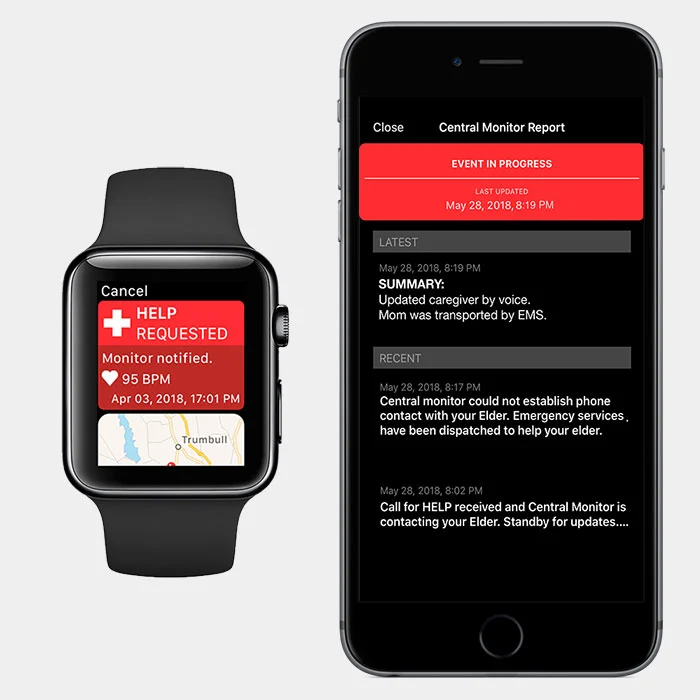
FallCall Lite is a mobile medical alert app designed to work with smartphones and smartwatches, giving older adults a way to contact caregivers or a 24/7 emergency monitoring center. Users can connect up to five caregivers, share GPS location and heart rate information during help calls, and activate alerts using Siri or the app. The service is available across all 50 states, although it depends on the user’s device battery and Wi-Fi or cellular connection.
- Works with existing smartphones and smartwatches
- Connects up to five caregivers
- 24/7 emergency monitoring available

My SOS Family Emergency Alert
4.4
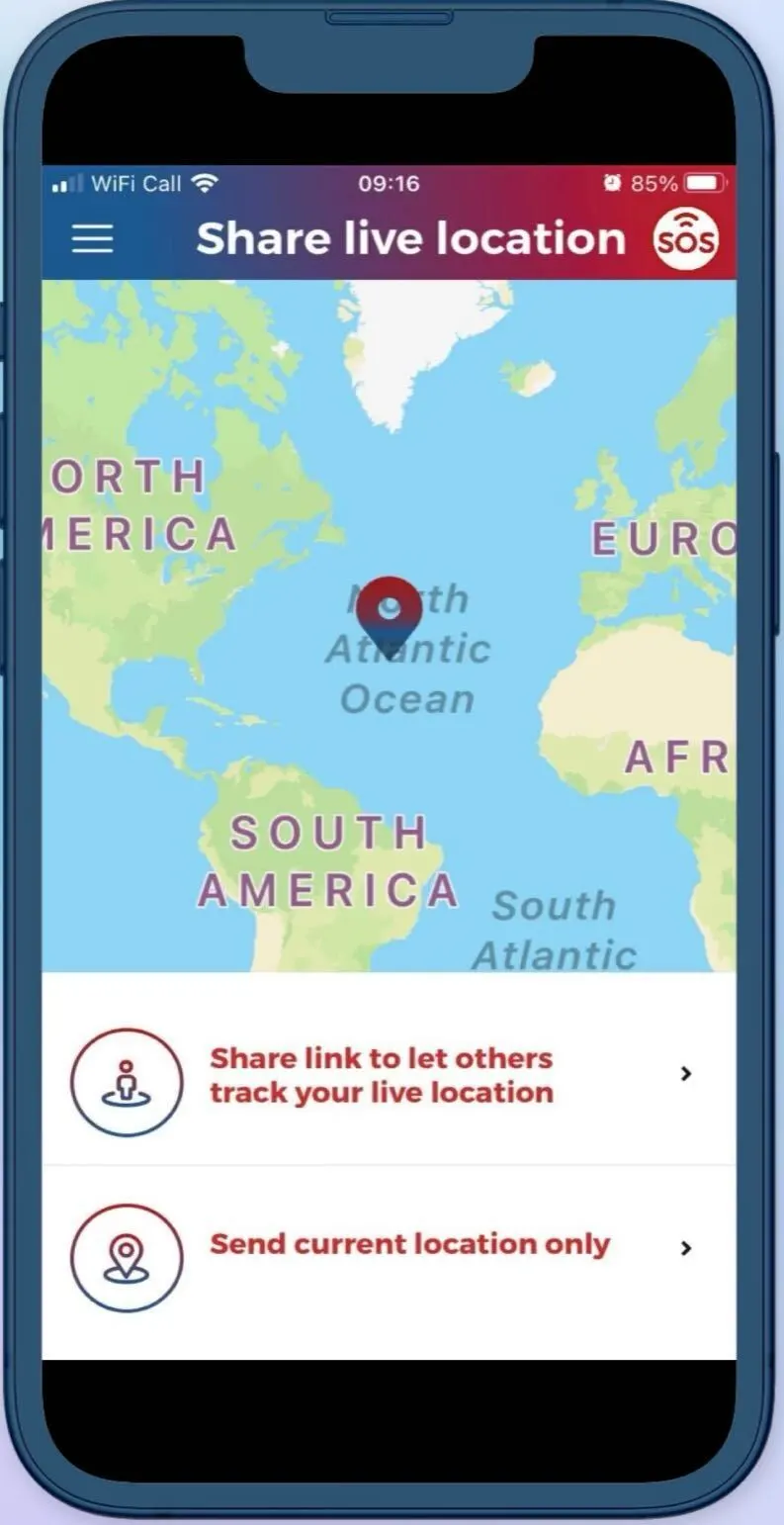
My SOS Family Emergency Alert is a mobile emergency alert app designed to connect users directly with their personal network of family and friends rather than a professional monitoring center. With a single tap or voice command (via Siri, Alexa, or Google Assistant), the app sends alerts to up to five emergency contacts, including calls, texts, and emails.
- Instant alerts to personal emergency contacts
- GPS location sharing with SOS timer feature
- Works without app download for recipients
Medical alert apps turn smartphones, smartwatches, and other compatible devices into personal safety tools. Depending on the app, users can contact caregivers, share their location, request emergency help, or connect with a monitoring center.
This guide reviews the best medical alert apps for seniors, including their features, costs, and limitations. To learn how we selected our top picks, see our methodology below.
Medical Alert Apps for Seniors: Quick Comparison
| Medical Alert App | Best For | Works With | Key Features | Professional Monitoring | Starting Cost |
|---|---|---|---|---|---|
| Medical Guardian | Existing Medical Guardian customers and caregivers | iOS, Android, Medical Guardian devices | – GPS location – Caregiver alerts – Battery status – Reminders – Activity tracking | Yes | From $27.95/mo. for some home plans |
| Lively | Seniors who want family alerts and professional emergency response | iOS, Android, Lively devices | – Family alerts – Urgent Response – GPS – Fall detection – Nurse On-Call | Yes | $24.99/mo. |
| Medical Care Alert | Caregivers who want detailed device and location information | iOS, Android, supported GPS devices | – GPS tracking – Location history – Battery status – Cellular signal – Caregiver alerts | Yes | From $29.95/mo. |
| Bay Alarm Medical | Caregivers who want location and device tracking | iOS, Android, Bay Alarm devices | – GPS tracking – Location history – Battery alerts – Device ringing – Caregiver tracking | Yes | From $27.95/mo. |
| FallCall Lite | Seniors who want a standalone app with caregiver alerts | iOS, Android, Apple Watch, compatible accessories | – SOS alerts – GPS – Voice activation – Caregiver alerts – Heart-rate data | Optional | Free app; monitoring available for an added fee |
| My SOS Family | Low-cost emergency contact alerts | iOS, Android, smart speakers, compatible devices | – SOS button – Live location – Voice commands – Check-ins – SOS timers | No | $3.49/mo. or $19.99/yr. |
Best Medical Alert Apps for Seniors Reviews

Medical Guardian Review
Great variety
|
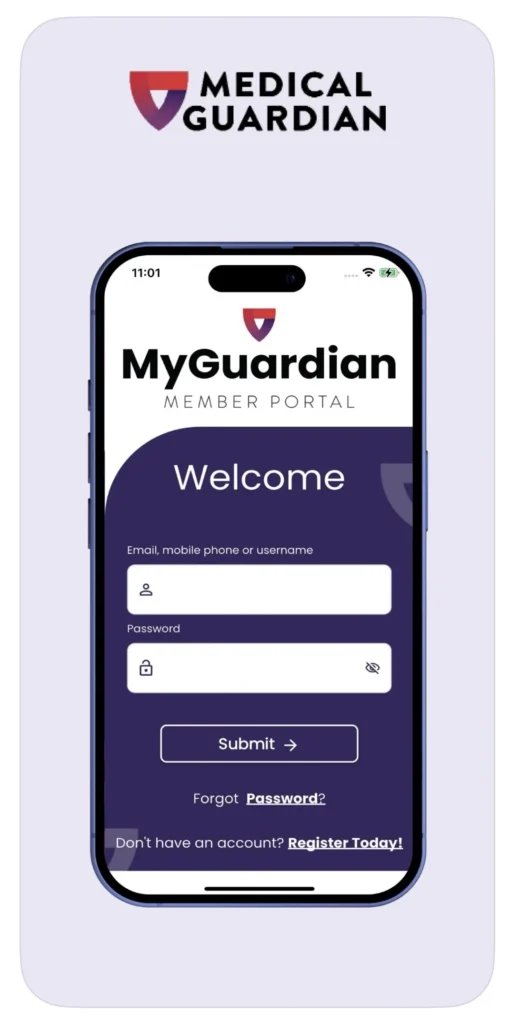
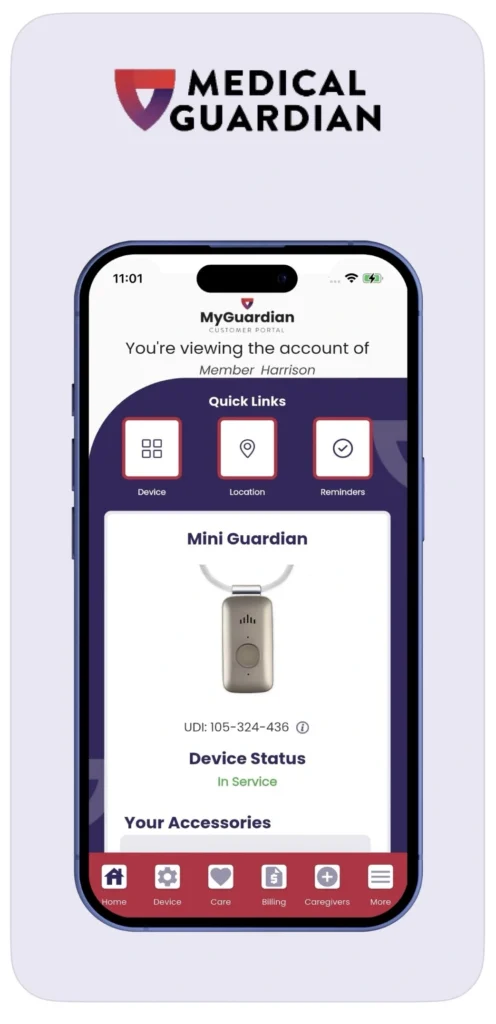
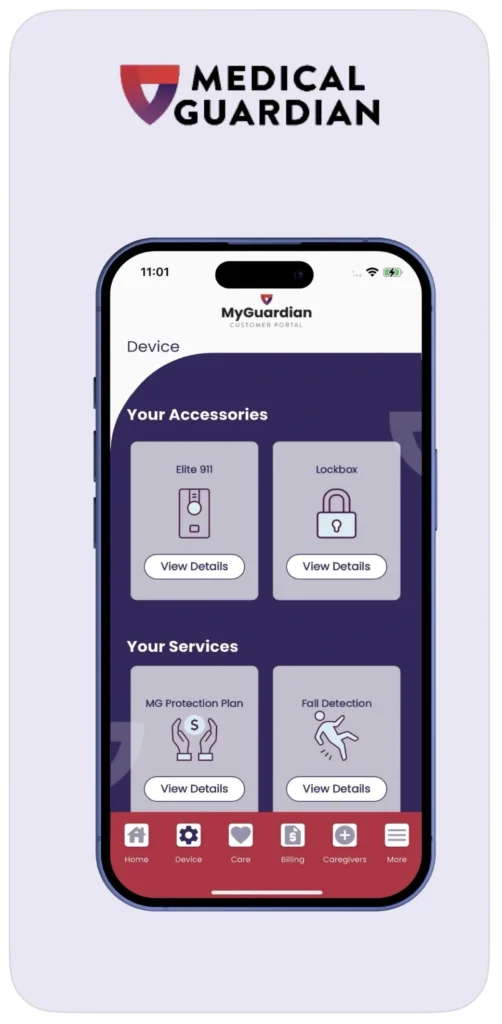
MyGuardian connects Medical Guardian users with caregivers and emergency contacts. It works with Medical Guardian’s medical alert systems and is available on iOS and Android. Caregivers can use it to monitor a loved one’s safety remotely.
You can track location, check battery status, review activity, manage reminders, and view step tracking and emergency contacts. You can also use group messaging and manage your care circle. MyGuardian comes with eligible systems at no additional app cost. Medical Guardian plans start at $27.95 per month for some home systems.
Pros
- GPS location tracking
- Activity and battery monitoring
- Care circle and group messaging
- 24/7 professional monitoring
- No separate app fee with eligible systems
Cons
- Requires a Medical Guardian system
- Features vary by device and plan
- Not a standalone medical alert app
Great variety
Medical Guardian
- Call chain for caregivers
- Sleek, stylish wearable devices
To learn more, read our full Medical Guardian review.

Lively Review
Great for tech-savvy seniors
|
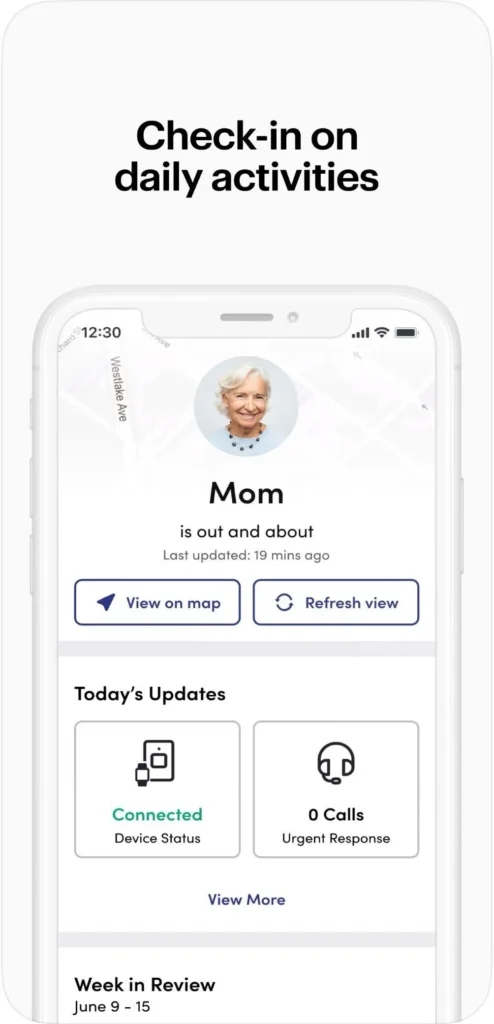
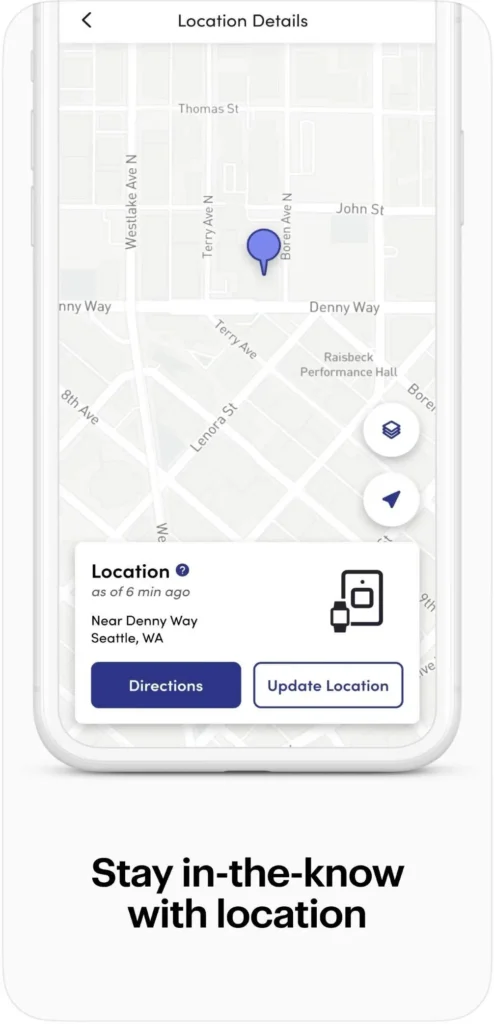
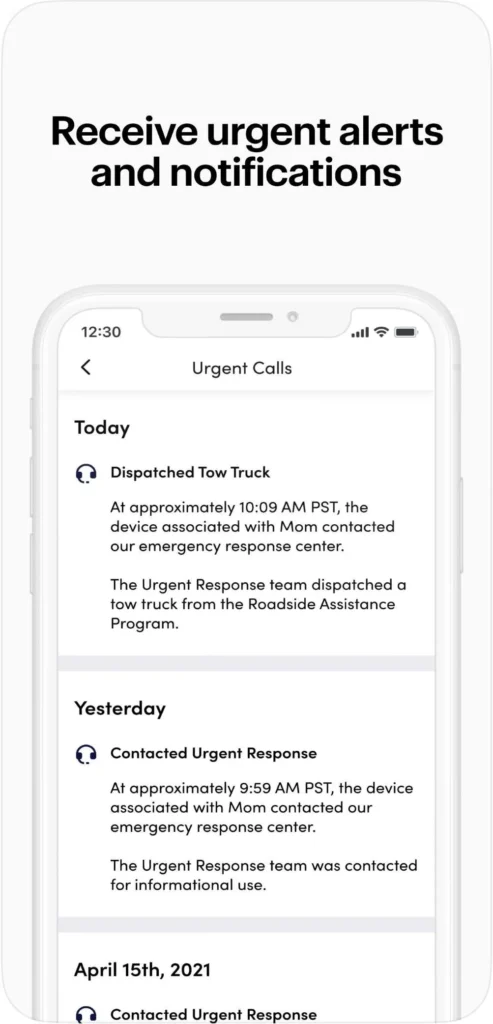
Lively Link helps caregivers stay informed about a Lively user’s safety and device status. It is available on iOS and Android and works with supported Lively devices.
You can view location, check battery levels, and receive safety alerts through the caregiver app. You can also access Lively’s 24/7 Urgent Response service, which connects you with certified U.S.-based agents who can coordinate help. Plans start at $24.99 per month, while Fall Detection costs an additional $9.99 per month.
Pros
- 24/7 professional emergency response
- Caregiver location and activity updates
- Battery status monitoring
- Optional fall detection
- No long-term contracts
Cons
- Requires an active Lively service plan
- Fall Detection costs extra
- Location accuracy can vary with GPS conditions
Great for tech-savvy seniors
Lively
- Nurse on-call
- Compatible with Alexa and Apple Watch
To learn more, read our full Lively review.
Medical Care Alert Review
Great fast response
|
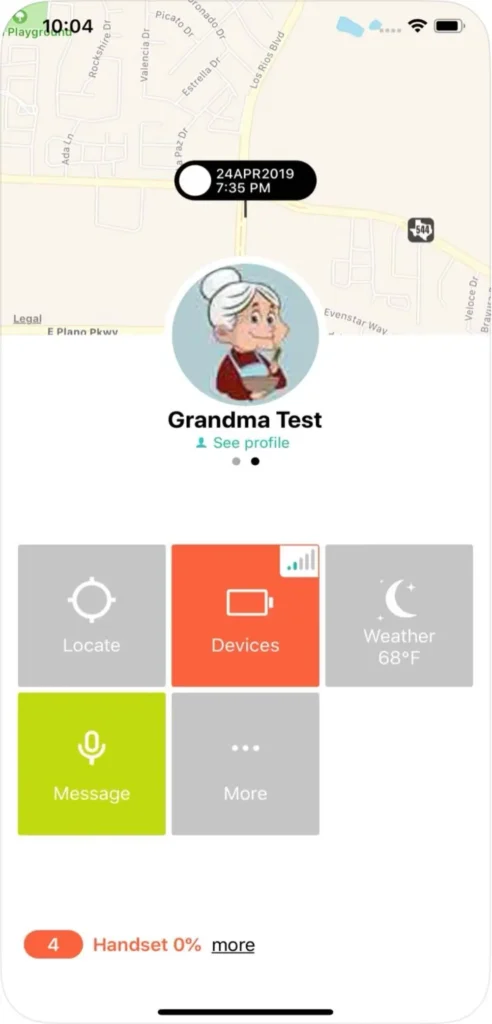
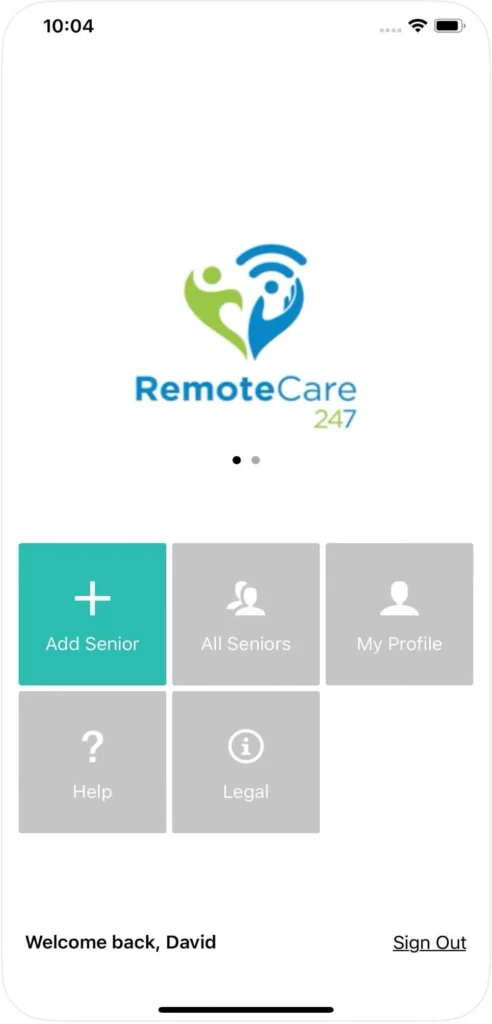
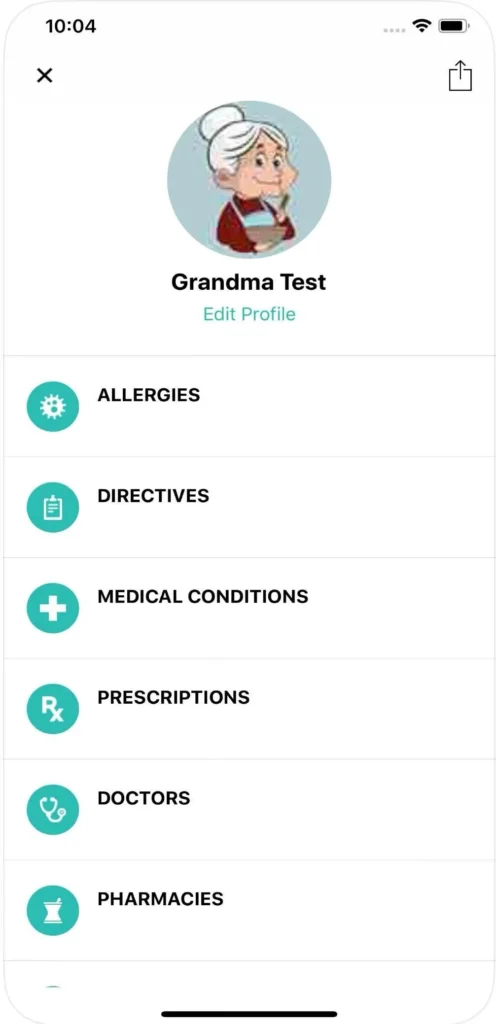
Medical Care Alert’s RemoteCare 24/7 app helps caregivers monitor a loved one’s medical alert system. It works on iOS and Android with compatible GPS devices, smartwatches, and other equipment.
You can check the user’s location, battery level, cellular signal, and device status from the app. You can also view location history and receive alerts when the user leaves or returns home. Plans start at $29.95 per month for in-home monitored systems, while GPS and smartwatch systems start at $39.95 per month.
Pros
- GPS location tracking and history
- Battery and cellular signal monitoring
- Departure and arrival alerts
- Supports multiple users
- 24/7 professional monitoring
Cons
- Requires a Medical Care Alert system
- App features vary by device
- Fall detection costs extra
Great fast response
Medical Care Alert
- Certified responders
- No equipment charges
To learn more, read our full Medical Care Alert review. Or, for a comparison with another medical alert system, read our Medical Care Alert vs. Personal Living Alert article.

Bay Alarm Medical Review
Great customer service
|
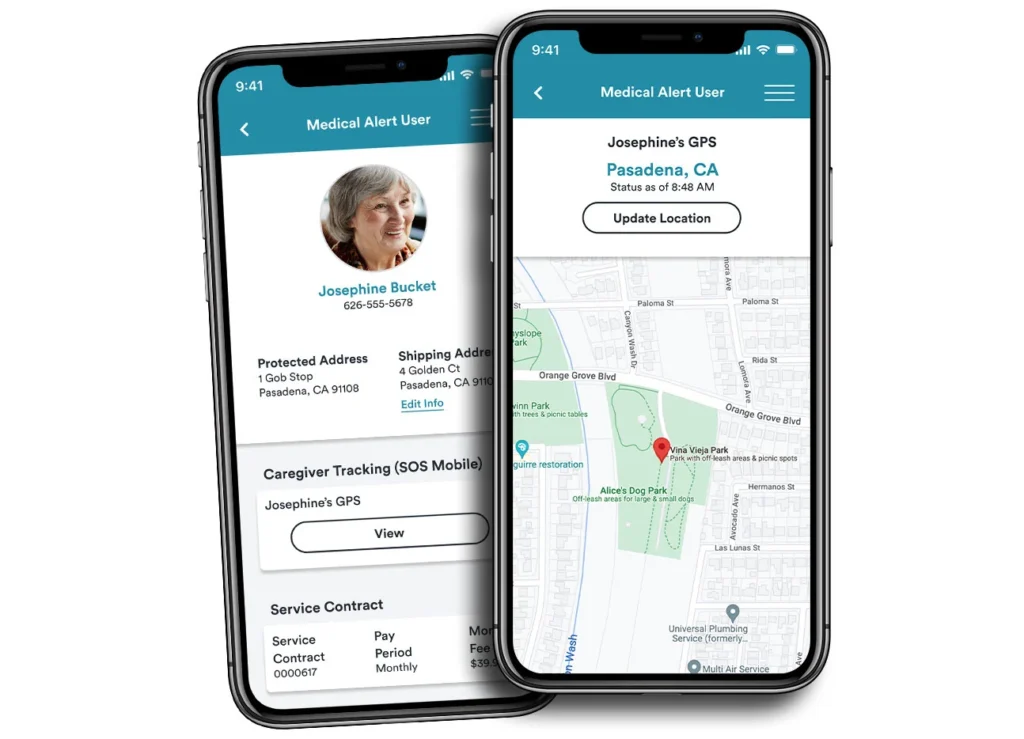
Bay Alarm Medical’s app connects caregivers with supported mobile medical alert devices. It works with SOS All-In-One, SOS Mobile, SOS Micro, and SOS Smartwatch devices. The app is available for iOS and Android.
You can check the device’s current or last known location, view location history, and monitor battery levels. You can also ring a misplaced device, update emergency contacts, and manage account details. Plans start at $27.95 per month for in-home service, while mobile plans start at $34.95 per month.
Pros
- Real-time caregiver location tracking
- Location history and low-battery alerts
- Device ringing feature
- 24/7 professional monitoring
- No separate mobile app fee for supported mobile systems
Cons
- Requires a supported Bay Alarm Medical device
- Caregiver Tracking is not available with SOS Home
- Recent app reviews report login and connection problems
Great customer service
Bay Alarm Medical
- Vial of Life included with purchase
- Free spouse monitoring
To learn more, read our full Bay Alarm Medical review.
FallCall Lite Review
Works with existing smartphones and smartwatches
|
FallCall Lite turns an iPhone, Apple Watch, or compatible Android device into a personal emergency assistant. You can connect up to five caregivers and share your location and heart rate information during help calls.
You can send help calls through the app or Siri and let caregivers receive your location and device status. You can add 24/7 professional monitoring for $14.99 per month, which connects you to a response center where an emergency operator can communicate with you through a two-way speaker.
Pros
- Free app download
- Supports up to five caregivers
- GPS and heart-rate information during help calls
- Siri voice activation
- Optional 24/7 professional monitoring
Cons
- Fall detection requires a compatible pendant
- Depends on a compatible smartphone or smartwatch
- Location accuracy depends on cellular and GPS conditions
- Professional monitoring costs extra
My SOS Family Emergency Alert Review
Instant alerts to personal emergency contacts
|
My SOS Family is a standalone safety app for iOS and Android. It lets you alert family, friends, or caregivers without medical alert equipment or a monitoring center. Your contacts do not need the app to receive alerts.
You can send an SOS by pressing the app’s help button or using voice commands. You can also share your location, set an SOS timer, check in with contacts, and attach photos or videos. The service costs $3.49 per month or $19.99 per year after a 14-day free trial.
Pros
- Low monthly or annual cost
- No medical alert equipment required
- SOS alerts by phone call, SMS, email, and app notification
- Location sharing and SOS timer
- Voice commands and smart speaker support
Cons
- No professional monitoring center
- Depends on the user’s device and connectivity
- Emergency response depends on available contacts
- Some features vary by device
Other Medical Alert Apps for Seniors We Considered
We considered several other standalone medical alert apps during our research, including:
- FallSafety Home
- Senior Safety App
- Red Panic Button
Methodology: How We Chose the Best Medical Alert Apps for Seniors
We reviewed 33 medical alert apps and selected six based on their features, availability, pricing, user reviews, and reliability. Our final picks include four apps that work with the best medical alert systems and two standalone apps.
We considered:
- Safety features: SOS buttons, fall detection, GPS location tracking, emergency alerts, and access to professional monitoring
- Caregiver support: Location sharing, battery status, activity tracking, emergency contacts, and caregiver notifications
- Device compatibility: Support for smartphones, smartwatches, iOS, Android, and compatible medical alert devices
- Cost and value: App fees, monitoring costs, equipment requirements, free trials, and optional features
- Reviews and reliability: User feedback, recurring complaints about login problems, unreliable GPS, alert failures, poor support, and unexpected fees
We favored apps that offered useful safety features, reliable caregiver support, and clear pricing. Apps with significant limitations, poor availability, or recurring critical complaints were excluded from our top picks.
Medical Alert App Features to Consider
When choosing a medical alert app, look for features that support emergency access, caregiver communication, ease of use, and reliable safety alerts.
Emergency Alerts
Look for an easy-to-use SOS button that lets older adults quickly request help. Voice activation and a two-way speaker can help users communicate during an emergency. Check whether emergency alerts go to caregivers, emergency contacts, a professional monitoring center, or both.
Caregiver Access
Caregiver features can provide location updates, battery status, activity information, emergency contacts, and safety alerts. Some medical alert apps also let caregivers manage reminders or settings remotely.
GPS Location Tracking
GPS tracking can provide a user’s current location, location history, and caregiver alerts. Some apps offer geofencing or safe zones that notify caregivers when a user leaves a designated area. These features can help caregivers monitor seniors with dementia or memory loss who may wander. GPS accuracy depends on the device and available cellular signal.
Fall Detection
Check how the app detects falls and which devices support fall detection. Some apps use smartphone sensors, while others require a medical alert watch or pendant. Fall detection may not detect every fall, so an easy-to-use SOS button remains important.
Accessibility and Ease of Use
Choose an app with large buttons, readable text, high contrast, simple navigation, and voice activation. These features can help seniors with vision, hearing, dexterity, or memory challenges. Test the app before relying on it for emergency alerts.
Device Compatibility
Check whether the medical alert app works with the user’s smartphone or smartwatch and supports 4G LTE when required. Review the required iOS or Android version and whether the app needs background permissions. Older smartphones may not support every feature or receive the latest app updates.
Reliability and Battery Life
Check whether the app requires cellular service, Wi-Fi, or both. GPS tracking and background location services can drain a smartphone or smartwatch battery. Make sure the device can stay charged and run the app in the background. Test emergency alerts before relying on the app for safety.
Privacy and Data Sharing
Check what information the medical alert app collects and who can access it. Apps may collect location data, contact information, health details, or activity data. Review the privacy policy and check which permissions the app requires for GPS tracking, caregiver access, and other features.
When a Medical Alert App Isn’t Enough
A medical alert app may not be enough if you have a high fall risk, memory problems, or difficulty using a smartphone. You also need to keep your phone or wearable device charged and with you. If you may forget your device or struggle to activate an alert, consider a dedicated medical alert device instead.
Choose a dedicated system if you need automatic fall detection, 24/7 professional monitoring, or a wearable designed for emergencies. These devices can also help when you cannot reach your phone or use an app during an emergency, and may help coordinate assistance from first responders.
Medical Alert Apps for Seniors Costs
Medical alert app costs vary depending on whether the app works with a medical alert system or uses a smartphone or smartwatch. Medical alert services generally cost about $25 to $60 per month, while some standalone apps are free or cost only a few dollars per month.
Standalone apps can cost less because they use a device you already own. However, optional professional monitoring, fall detection, equipment, or activation fees can increase the total cost.
Before choosing an app, check whether the advertised price includes monitoring, fall detection, equipment, and premium features. Also look for annual payment requirements, activation fees, and other charges that may not appear in the advertised price.
Frequently Asked Questions (FAQs) About Medical Alert Apps for Seniors
A medical alert app turns a smartphone or smartwatch into a personal safety device. You can press an SOS button or use supported voice commands to request help. Depending on the app, alerts go to caregivers, emergency contacts, or a professional monitoring center.
A medical alert app can replace a dedicated system for some users, but not everyone. Apps depend on a compatible device, battery, connectivity, and the user’s ability to operate the app. A dedicated system may provide specialized equipment, automatic fall detection, or professional monitoring.
Many medical alert apps can work without Wi-Fi when the device has a cellular connection. However, requirements vary by app and feature. GPS tracking, emergency alerts, and voice calls may depend on cellular service, while some features may require Wi-Fi or an internet connection.
Original Medicare generally does not cover medical alert apps or medical alert systems as a standard benefit. Some Medicare Advantage plans and insurance plans may offer personal emergency response systems as supplemental benefits. Check your specific plan to see whether it provides coverage or reimbursement.
Concluding Thoughts on Medical Alert Apps for Seniors
Medical alert apps can help you stay connected to caregivers and access emergency services through a smartphone, smartwatch, or compatible medical alert device. The right choice depends on your safety needs, device compatibility, monitoring preferences, and budget.
Review the app’s features, reliability, privacy practices, and total cost before choosing one. Consider a dedicated medical alert system if an app alone does not provide the level of support you need.